Showing posts with label free resources for students. Show all posts

Thursday, October 14, 2010

Great Web 2.0 Resources for Students


There are some really great Web 2.0 Resources for Students out there that can help students with their school work, getting organized, and using other Web 2.0 resources. Here is a list of some of my favorites.

TRACKCLASS:


Trackclass is a great, free resource for students. The site allows students to track their classes and assignments, and even will send reminders (email or SMS) for upcoming assignment due dates and test dates. There is also a note taking utility so students can take notes on it if they have a computer in school, or transcribe notes later. You can even attach files to each class and assignment to keep things organized. It is a great way for students to stay organized.

There is also a version for mobile phones and the iPhone, so students can stay organized no matter where they are.

I found it very easy to use, with a great help section. I wish they had this when I was in school! I was even thinking that teachers could use this too.


Shoshiku is another free class organizer, similar to Trackclass. It has a calendar, notes, task list, and reminder system like Trackclass. It is not as full featured, in my opinion, as Trackclass, but it is easy to use and some students may like it better than Trackclass.


Dweeber is a homework collaboration site that also has tools to help students learn better. It is described as a homework social network. Students sign up, for free, and can add their friends, known as "dweebs" to their network. Students can work on homework together and help each other out. It even as a virtual whiteboard so that they can work together just as if they were in the same room. There is a message center, study sessions, and even a place to post links to web sites that you find helpful in doing your work.

This is a great resource for students who can't get together physically to work on homework or projects.


Google Student Blog:


I am a huge user and fan of Google's many applications and their use in education. I use Blogger for this blog and my classroom blogs, Google Sites for my classroom site, Google Docs, Google Earth, iGoogle and much more with my students and for my own use. I show my students Google's applications because they are easy to use, useful, and free.

Google recently launched the Google Student Blog. This blog site is a great resource for students who use Google's products. It includes information, updates, how-to's, tips, and much more on how to use Google's applications as a student. If your students use Google's products, they should be reading the Google Student Blog.
Scribblar:


Scribblar is an online meeting room / white board. Students can use it to collaborate on projects, teachers can tutor via the computer, and teachers can use it for collaborative meetings and projects.

Scribblar gives the users a virtual white board on the screen and writing tools to create text, lines and shapes. They can even add images.

There is also a chat window on the side bar so that users can talk to each other while working. There is even a live chat system if you have a microphone and speakers.

I see students using this to work on homework problems together. Teachers could use this to help students with homework after school or on the weekends.

Scribblar can now support PDF files. Free users can upload PDFs with up to 5 pages. Your uploaded PDF will be turned into an editable image in Scribblar.

Evernote

Evernote is a great, free resource that allows you to easily capture information using whatever device or operating system you use. It then makes this information accessible and searchable from anywhere. Their tagline: Remember Everything.

You can capture task lists, notes, web pages, white boards, business cards, pictures, and even clip web pages to Evernote.

You can download a desktop version of the software, for free, which will sync to the Evernote web server, or you can just access it through the internet on their web page. You can also access it through a mobile device. They have downloadable applications for the iPhone, Blackberry, Android, and Windows Mobile devices. You can also access their mobile website on any web-enabled phone.

You can create new notes via desktop, web, or mobile version. You can also use your camera phone or web cam to take a snapshot and Evernote can even recognize the text in the image. You can also email notes, clip web pages, record audio notes, and scan papers, receipts and more into Evernote.

Their website has easy to follow instructions and help sections. Students can use Evernote to take notes in class, share notes with other students, capture notes off of a whiteboard or poster using their smartphone camera, and much more.

Dropbox
Dropbox is a service that allows you to sync your files on your computer with their system as a backup. This also allows you to access the files anywhere. You can also sync the files across multiple computers. This means that you have automatic backup of your files and 24/7 access to your files. I have it set up to sync a folder on my home computer and school computer so I don't have to worry about having multiple versions or forgetting a flash drive.

There are also Dropbox apps for iPhone, Android, iPad and there is one coming for Blackberry. There is an independent app for Palm webOS, but you can also access the mobile site from any web-enabled phone. Imagine being able to access all of your files on your smartphone!

One feature that is very nice is the fact that it works with network drives like we use in my district. Some of the other cloud file storage and sync systems can't work with network drives. I was very happy to see this was able to be done with Dropbox.

Students can use this to access and back up their files anywhere. They can also share files with each other which is useful when working on projects.


E-Learners:

This web site has some great resources for students and teachers, including test prep, study skills, organization, grammar and writing, and career planning. Everything broken down by topic and is listed on one page, so it is easy to find things.
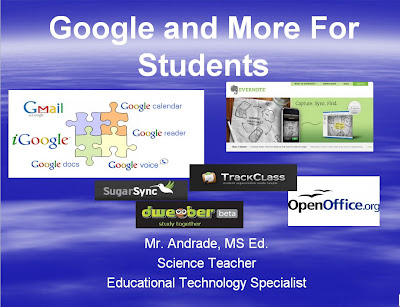


I created a Google Presentation about Google and other free applications and resources for students that I will be sharing with my students next week. I feel that these are the tools and resources that will be the most useful to them, with the shortest amount of training time required.

I thought I would also share it with you. You can view it HERE.


Please share your favorite student resources with us!


Monday, September 27, 2010

Google Apps Education Training Center


The Google Apps Education Training Center is an online learning environment dedicated for educators and students to learn how to effectively use Google Apps in an educational context. In other words, it provides training materials to learn how to use Google Apps in education.


While you don't need a Google Apps account to use this site, it is recommended so that you can experience what you learn. Of course, if you have a Google account you can use many of the apps anyway.


This is a good resource for teachers and students whose school system uses Google Apps or for any teacher or student who uses Google's applications for school.


Google Student Blog


I am a huge user and fan of Google's many applications and their use in education. I use Blogger for this blog and my classroom blogs, Google Sites for my classroom site, Google Docs, Google Earth, iGoogle and much more with my students and for my own use. I show my students Google's applications because they are easy to use, useful, and free.

Google recently launched the Google Student Blog. This blog site is a great resource for students who use Google's products. It includes information, updates, how-to's, tips, and much more on how to use Google's applications as a student. If your students use Google's products, they should be reading the Google Student Blog. 

Related Articles:

http://educationaltechnologyguy.blogspot.com/search/label/google

Tuesday, April 20, 2010

101+ Web Resources for Students


101+ Web Resources for Students is a great listing of different sites for students. The sites are organized by topics such as Almanacs, Encyclopedias, and Style Manuals.

It is a good site to share with your students as a starting point for them when doing research or needing help.

It was posted in 2008, but the sites are still good and there are some more sites listed in the comments.


Friday, April 9, 2010

50 Free Collaboration Tools That Are Awesome for Education


This site has a list of 50 free collaboration tools that can help with distance education, group projects, homework collaboration, or working with other schools. The tools allow for group papers, file sharing, communications, and much more. The resources are listed by topic for easy searching.

Some of my favorites: Google Docs, Zoho, Skype, drop.io, Blogger, and Twitter.

I already use some of these, but I found some really good new ones too.

Thursday, April 8, 2010

Study Tips and Notetaking Resources


All of these sites have great tips and resources for studying, taking notes, doing homework, and succeeding in school.

You'll definitely want to share these with your students.

Developing Study Skills - BYU
Great resource for students on how to develop effective study skills for high school and college success. Hosted by Brigham Young University.

High School Study Skills resource
This site is designed to be a self-help tool to assist students in making the most of their high school years. The collection of pages in this site will help you assess your current skills, acquire new ones, and apply what you learn to study more effectively, in less time, for greater understanding and better grades. Use the links in the menu bar to work through the site from beginning to end, or click on a link below to focus on a specific skill area.

Notetaking 1

This is a page on Sweet Briar College, VA, Academic Resource Center. It is in outline form, and is a very good resource to use for a quick review of note taking skills. It is simple, easy to read, and easy to implement. It gives basic guidelines, how to abbreviate, and how to set up your notes.


Notetaking 2
This is on Dartmouth University’s web site. It has a lot of good information on note taking, and includes a guide to using the Cornell Note Taking System.


Notetaking 3
This is from the University of Exeter in the UK. I really like this site because it not only gives a short tutorial on how to take notes, but it has fill in the blank forms students can use to improve their note taking skills. The entire note taking section can be downloaded as a single PDF file for offline use.

Notetaking 4
The University of South Wales, AU, has another great resource for note taking. Their site is simple, easy to read, and gives instructions on what to do before, during, and after a lecture to make sure you take good notes. They also have tips on abbreviating and using pictures and concept maps.

Notely is the new tool for students of all ages looking for help to get better grades.

Notely has all the tools a student could need, schedule, calendar, note-taking, homework planner and more.

Notely is a collection of online tools designed to help all you crazy busy students out there to organise your hectic lives. Whether you're in University, College or High School Notely has the tools to help you get organised and achieve better grades.

Homework HELP!
site contains over 780 great links to sites that will help you with your homework.


Study Curve
This is an online study community where you can get help on projects and homework and network with other students and mentors.

Tuesday, April 6, 2010

CoSketch.com - Online Whiteboard Collaboration


CoSketch.com is a free service that allows you to create online sketches and share them with other people, in real time.

You can also save your sketch as an image. The sketch tools include text, colors, lines, curves, shapes, and more.

It is completely online and runs in any browser without the need for plugins.

You can also import images and Google maps images.

This would be great for teachers to use with their students, or for student groups to use while at home for collaboration.


Monday, March 29, 2010

Excellent Web Based Educational Resources

This web site has some great resources for students and teachers, including test prep, study skills, organization, grammar and writing, and career planning. Everything broken down by topic and is listed on one page, so it is easy to find things.


Thursday, March 11, 2010

Genetics resource


Learn Genetics and Teach Genetics are great resources from the University of Utah.

Learn Genetics has interactive videos and demos that explain different concepts of genetics. The web site is nicely designed and easy to navigate.

Teach Genetics is a beta preview teacher companion site for Learn Genetics. There are some resources now, with more coming in the future.

These are great resources for Biology and Genetics teachers.

My wife, a Biology teacher, found them and told me about them. She found them very useful and easy to use.


Tuesday, March 9, 2010

Chemistry Resource - Build an Atom


Build an Atom is a simple, straightforward site that shows a visual representation of an atom. You select the element you want and the site shows you the protons, neutrons, electron orbitals, electrons (and their direction of spin) and the orbital listing.

It's a great resource to help students visualize an atom and the electron orbitals.

Friday, January 15, 2010

Scribblar - online whiteboard - UPDATED


(originally posted 10/11/09)

Scribblar is an online meeting room / white board. Students can use it to collaborate on projects, teachers can tutor via the computer, and teachers can use it for collaborative meetings and projects.

Scribblar gives the users a virtual white board on the screen and writing tools to create text, lines and shapes. They can even add images.

There is also a chat window on the side bar so that users can talk to each other while working. There is even a live chat system if you have a microphone and speakers.

I see students using this to work on homework problems together. Teachers could use this to help students with homework after school or on the weekends.

Dweeber is another resource that has some similar functionality for students.


UPDATE: Scribblar can now support PDF files. Free users can upload PDFs with up to 5 pages. Your uploaded PDF will be turned into an editable image in Scribblar. Thanks to Free Technology for Teachers for the tip!

Thursday, December 10, 2009

nextSTEP magazine and site - after high school...


nextSTEP magazine is a great resource for high school students. The magazine itself is not free, although many schools get bulk subscriptions. Their website, http://www.nextstepmagazine.com, does have a lot of free resources for students.

Their tagline is "your life, after high school" and the magazine and web site have advice and information on careers, college planning and more. College search, college planning steps, career descriptions, articles on college life, careers, how to be successful in college, and much more are all on the site.

Our school has a bulk subscription, so the students can pick up a copy in the counselors' offices. Many of the students prefer to just go to the web site. The site has more detailed information than the magazine, along with videos and links to other resources. The site does has all of the articles from the print magazine.

This is a must have resource for high school students.


Zinch.com - Free College service for students


Zinch.com is a free service for students in high school applying to college. Students can connect with over 700 colleges that participate with Zinch, create a profile of themselves on the site for colleges to see, and even get information on financial aid.

Some of my students have used it before and found it easy to use and helpful in their college search and application process.


Monday, November 30, 2009

Digital Literacy Resource


Digital Literacy is an animated, interactive web site that teaches students about digital literacy, safe use of the internet and more. The site is hosted by the Northwest Learning Grid.

The site is beautifully designed with swirling graphics and minimal menus. It starts by asking the student to select one thing that they do on the internet. It then brings the student to a quiz about using the internet for that task.

The quiz asks some really good questions about the internet and it's usage for the task it selected. The site then "grades" the quiz with some feedback and brings the student to a menu of tutorials about internet use. Some of the tutorials go over analyzing web sites and blogs for relevancy, accuracy, and objectiveness.

I found the site to be fun and easy to use with some great information for students.


GetBodySmart - Human A&P


GetBodySmart is an interactive web site that helps students learn about human anatomy and physiology. It has interactive flash animations, tutorials, and quizzes. It is very easy to use and navigate and is well designed with very good graphics.

The content is explained well and would be appropriate for high school or beyond.

I would recommend this to any human biology, anatomy and physiology, EMS or medical class students.


AP Physics Review Site


Learn AP Physics is a great web site for AP Physics students. The site has example problems, topic reviews, problem solving tips, and much more. Students can also sign up to receive a practice problem emailed to them every day and solutions are provided. There are separate sections for AP Physics B (algebra based) and AP Physics C (calculus based).

This site is a "must-use" for AP Physics students.

Wednesday, November 25, 2009

Discovery Box


Discovery Box is a tool to collect items in a virtual box. The purpose is to provide you the "tools to build up an argument or description of an event, person, or historical period". It is literally a virtual box with different compartments that you can use to sort items that you need for your argument, description, or project. You can display text, videos, audio, links, and more in your box and use different compartments of the box to organize things by different topics.

There are teacher resources, case studies of it in use, and a gallery of Discovery boxes that you can view.

I see it as a tool for students to use when working on a project to collect different resources and information in one place so that they can sort and organize it.

The boxes can be displayed as a project, or the materials gathered can be used in a different presentation format.

(Discovery box is not part of Discovery Education or Discovery Communications)

Thursday, November 19, 2009

Egiate - College search and info


Egiate is a site that takes college search a little further. Instead of just having some basic info on a college and a link to the school's web site, Egiate takes things further. It has those basic things, but then adds in better search options, maps, satellite photos of the campus, 3D buildings (if available) and much more.

They are still building the site and working with schools to incorporate more information. Searching can be done by location, major, size, and more and there is information on admissions, majors, students, athletics, and more on each school.

Wednesday, November 18, 2009

Interactive Periodic Table of Elements


I just learned about a great interactive Periodic Table of the Elements from my PLN (personal learning network) on Twitter.

This interactive Periodic Table of the Elements is great and loaded with features. As you move your cursor over an element, the information for that element is shown larger above the table. If you click on an element, a pop-up window launches with more detailed information about the element (courtesy of Wikipedia). When you move your cursor over a category of elements (halogens, alkali metals, etc.), those elements highlight, and the rest fade to grey.

It will also show the properties, electron orbitals, and isotopes for each element. And, you can adjust a temperature slider and it will color code the elements based on their phase at that temperature (solid, liquid, gas, or unknown).

This is a really useful, informative, and fun periodic table to use with your classes.


Tuesday, November 17, 2009

Learn to Type


Instructify, a great blog, has an article with resources about learning how to type. The introduction of more computers and computer based learning has made typing a necessary skill for anyone these days. Check out the resources in the article.