Showing posts with label PowerPoint. Show all posts

Tuesday, December 1, 2009

iSpring - Free PowerPoint to Flash converter


I just learned about iSpring Free, a free PowerPoint to Flash Converter from the Connecticut Discovery Educator Network. It is easy to use and free. What a great way to share PowerPoint presentations on the web or in other applications. (once again, my PLN comes through with great resources).

It is a free download from the site. Install the software, open your PowerPoint presentation, click Quick Publish, and you will get a .swf file from your presentation. It will install a toolbar in PowerPoint. The toolbar has the Quick Publish button, as well as the ability to insert Flash and YouTube videos into your presentation.


I converted a 162 slide PowerPoint presentation (32 MB) to flash in 5 minutes. Not bad at all.


Converted file:
Very easy to use, quick, and FREE.

Friday, November 13, 2009

Prezi - The zooming presentation editor


I had learned about Prezi over the summer, but never got a chance to work with it until this week. Today I finished my first presentation. It is a presentation I am doing for a professional development session next week at my school on Google Applications and some other free things for teachers.

I found Prezi very easy to use and once I started playing with it a little, I started having fun with it. I'm going to continue to explore more features in it, including automatic timing of each part, frames, grouping, and more.

Try it out as a nice alternative to just using PowerPoint.

Monday, October 19, 2009

PowerPoint Tutorial


PowerPoint in the Classroom is a great resource for those just learning PowerPoint or those who want to learn more about it and how to use it in the classroom.

It is really easy to use. You can go through it in a specific order by clicking "1" and then clicking "next" when done with each page. Or, you can jump around using the navigation.

This is also a good site to share with students who are starting to learn PowerPoint.


Wednesday, September 30, 2009

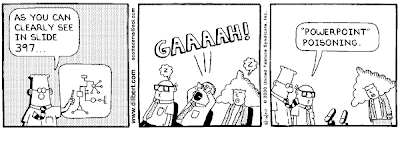
Great tip for better PowerPoint presentations


180 Technology Tips is a great site that I have written about before, twice. It is that good that I want to remind teachers at the beginning of each year.

Today's is a great tip on making better PowerPoint presentations (works for any presentation software). This is a great read for teachers and students.

We don't want to have this happen:


Wednesday, May 13, 2009

Free Certificate Maker Web Site


MyAwardMaker is a free site with templates for certificates that you can download. They have a lot of different templates and they are organized by topic. 

To create a certificate, you pick your template and then download it to your computer. You need to have Adobe Acrobat Reader (version 8.0 or later) to open the certificate. You can get Acrobat Reader HERE if you don't have it. 


Once you open your certificate, you can then enter text into the open spaces and print it out. You can not save the certificate with the text added to it, but you can keep the template forever. You can also just print out the template and hand write the information.

Microsoft PowerPoint also has some certificate templates that you can use. You click on Design Templates and then go online. The site for the award templates is HERE. You then edit the slide and print it out.

I suggest printing them out on a color printer for best results and best appearance.